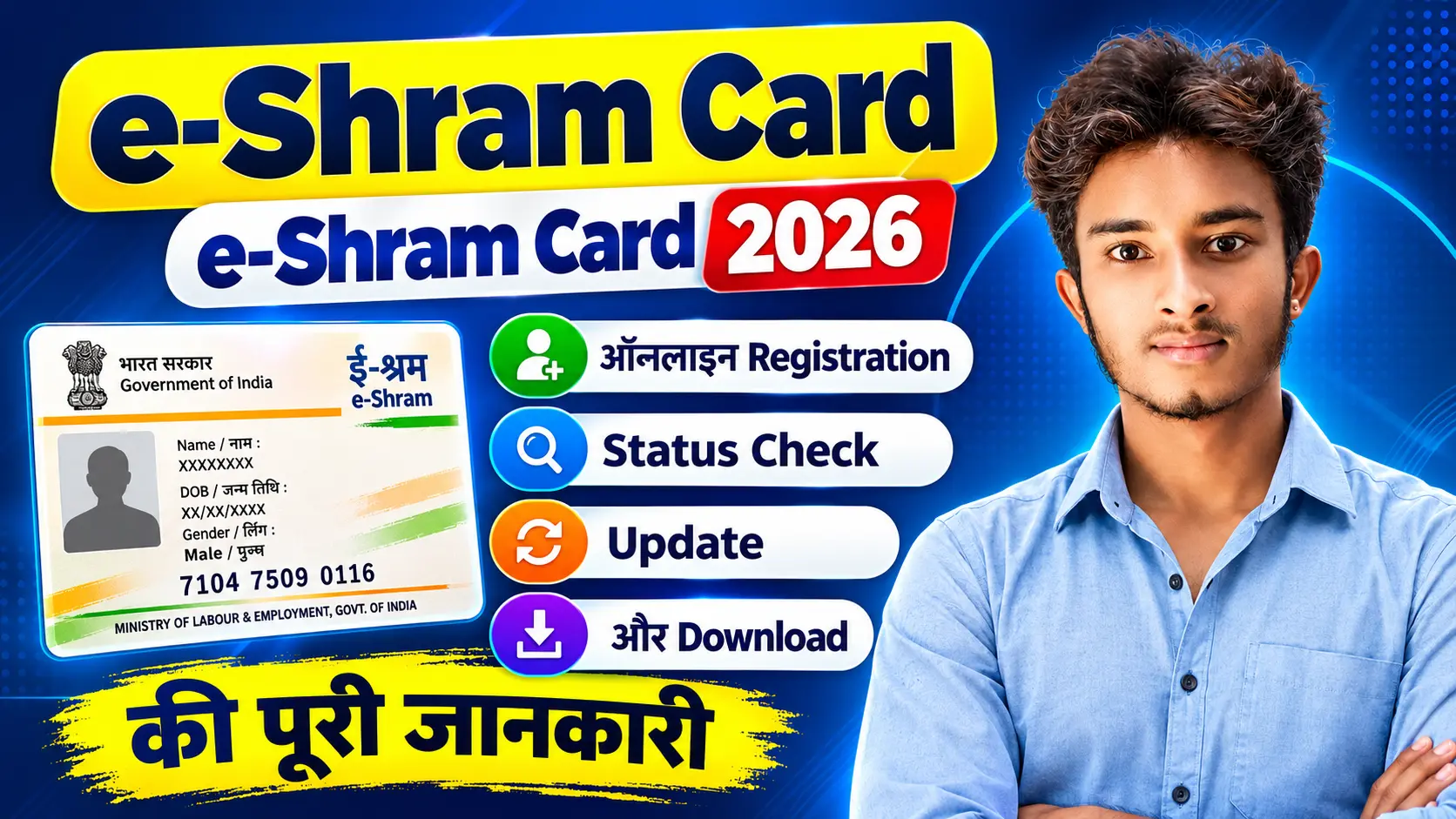
e-Shram Card 2026: अगर आप असंगठित क्षेत्र में काम करते हैं, तो e-Shram Portal पर Online Registration करके अपना e-Shram UAN प्राप्त कर सकते हैं। इस Shorts में जानें e-Shram Card Registration, Eligibility, जरूरी Documents, Aadhaar और Mobile Verification, UAN Number, Login, Status Check, Card Download, Mobile Number Update, Address एवं Occupation Details Update और Correction की पूरी जानकारी। Bihar में CSC के माध्यम से e-Shram Registration से जुड़ी महत्वपूर्ण जानकारी भी यहाँ मिलेगी।
Overview
| विषय | जानकारी |
|---|---|
| सेवा का नाम | e-Shram Card |
| संबंधित वर्ष | 2026 |
| Portal | e-Shram Official Portal |
| Registration Mode | Online और CSC के माध्यम से |
| मुख्य पहचान | Aadhaar और UAN |
| Verification | Aadhaar-based authentication/OTP |
| Status | Online check |
| Card Download | Online |
| Registration Fee | Official registration निःशुल्क |
| Helpdesk | 14434 / 18008896811 |
| Official Website | Click Here |
ध्यान दें: e-Shram Card बन जाने से किसी व्यक्ति को स्वतः पैसा, pension, insurance या अन्य financial benefit नहीं मिलता। प्रत्येक सरकारी योजना की अपनी eligibility, application process और verification rules होते हैं। Official e-Shram information के अनुसार portal का प्रमुख उद्देश्य असंगठित कामगारों का database तैयार करना और welfare services के implementation में सहायता करना है।
Read Also:-
बिहार राशन कार्ड 2026: नए पोर्टल से ऑनलाइन आवेदन कैसे करें? Step-by-Step पूरी प्रक्रिया
बिहार जाति, निवास एवं आय प्रमाणपत्र 2026: ऑनलाइन आवेदन, डाउनलोड और स्टेटस चेक कैसे करें?
आधार कार्ड से कौन सा बैंक अकाउंट लिंक है 2026? Online Bank Seeding Status कैसे चेक करें
e-Shram Card क्या है?
e-Shram Card भारत सरकार के श्रम एवं रोजगार मंत्रालय के e-Shram Portal पर registered असंगठित कामगारों की पहचान से जुड़ा card है। इस registration के बाद worker को UAN यानी Universal Account Number दिया जाता है।
e-Shram Portal को National Database of Unorganised Workers यानी NDUW के रूप में विकसित किया गया है। इसमें worker से जुड़ी basic information जैसे नाम, पता, occupation, education, skill और अन्य आवश्यक विवरण दर्ज किए जा सकते हैं।
e-Shram Portal का उद्देश्य
इस portal के प्रमुख उद्देश्य हैं:
- असंगठित कामगारों का central database तैयार करना।
- Workers को social security और welfare programmes से जोड़ने में सहायता करना।
- Migrant workers की जानकारी को व्यवस्थित करना।
- Worker-related government services के implementation में सहायता देना।
- आपातकालीन परिस्थितियों में eligible workers की पहचान आसान बनाना।
UAN Number क्या होता है?
UAN का अर्थ Universal Account Number है। e-Shram registration पूरा होने पर worker को सामान्यतः 12 अंकों का UAN मिलता है। यह number worker की e-Shram पहचान के रूप में उपयोग किया जाता है और इसे सुरक्षित रखना चाहिए। Official FAQ के अनुसार UAN permanent nature का number है।
e-Shram और Labour Card में अंतर
e-Shram Card central-level unorganised worker database से जुड़ा होता है। दूसरी ओर, State Labour Card, Shramik Card या BOCW Card किसी राज्य के Labour Department अथवा Construction Workers Welfare Board से संबंधित हो सकता है।
इसलिए दोनों cards को एक-दूसरे का replacement न समझें। उनके registration rules और benefits अलग हो सकते हैं।
e-Shram Card की आवश्यकता क्यों होती है?
असंगठित क्षेत्र में काम करने वाले लोगों का कोई एक central employment record अक्सर उपलब्ध नहीं होता। e-Shram registration इस gap को कम करने में मदद करता है।
इसके माध्यम से निम्न कामों में सहायता मिल सकती है:
- Worker की basic identity और occupation information दर्ज करना।
- Government worker database में registration करना।
- Social security schemes से जुड़ी information उपलब्ध कराना।
- Migrant workers की details को बेहतर तरीके से record करना।
- Informal workers से संबंधित सरकारी programmes की planning में सहायता।
- Employment और welfare-related services तक पहुँच आसान बनाना।
ध्यान रखें कि e-Shram Card केवल registration और identification का माध्यम है। इससे किसी specific scheme का लाभ automatic रूप से शुरू नहीं होता।
e-Shram Card 2026 के लिए Eligibility
सामान्य रूप से निम्न conditions वाले व्यक्ति e-Shram registration के लिए eligible हो सकते हैं:
- Applicant भारत का नागरिक और असंगठित क्षेत्र का worker हो।
- उम्र सामान्यतः 16 से 59 वर्ष के बीच हो।
- Applicant income tax payer न हो।
- Applicant EPFO या ESIC का member न हो।
- Applicant सरकारी कर्मचारी या Government-funded NPS का member न हो।
- Applicant के पास Aadhaar और mobile verification की सुविधा हो।
Official e-Shram information में असंगठित worker के रूप में home-based worker, self-employed worker और wage worker का उल्लेख किया गया है।
कौन-कौन से Workers Register कर सकते हैं?
Eligibility पूरी करने वाले ये workers registration कर सकते हैं:
- Agricultural labourers।
- Landless farmers।
- Construction workers।
- Domestic helpers।
- Street vendors।
- Drivers और transport workers।
- Small shop workers।
- Self-employed persons।
- Gig और platform workers।
- Home-based workers।
- अन्य informal wage workers।
क्या किसान e-Shram Card बनवा सकते हैं?
Agricultural labourers और landless farmers e-Shram के लिए eligible हो सकते हैं। केवल खेती से जुड़े होने के आधार पर approval तय नहीं होता; उम्र और अन्य official conditions भी पूरी करनी होती हैं।
क्या मजदूर और घरेलू कामगार register कर सकते हैं?
हाँ। असंगठित क्षेत्र में काम करने वाले eligible मजदूर और domestic workers e-Shram Portal पर registration कर सकते हैं।
क्या Construction Worker को e-Shram Card मिल सकता है?
हाँ। Construction workers e-Shram की प्रमुख worker categories में शामिल हैं। हालांकि construction welfare schemes के लिए BOCW Board में अलग registration आवश्यक हो सकता है।
क्या Students e-Shram Card बनवा सकते हैं?
Student होना अपने-आप में eligibility नहीं है। यदि student किसी असंगठित occupation में काम करता है और बाकी official conditions पूरी करता है, तो वह registration के लिए eligible हो सकता है।
क्या Self-Employed Worker register कर सकता है?
हाँ। छोटे दुकानदार, independent service providers, repair workers और अन्य eligible self-employed workers registration कर सकते हैं।
e-Shram Registration के लिए आवश्यक Documents
Online registration से पहले यह information तैयार रखें:
- Aadhaar Number।
- Aadhaar से linked active mobile number।
- Savings bank account number और IFSC, यदि form में मांगा जाए।
- Current और permanent address।
- Occupation या काम का विवरण।
- Education और skill details।
- Portal पर मांगी गई अन्य basic information।
🔗 Important Links
| Service | Official Link |
|---|---|
| e-Shram Portal | Official Website |
| Registration | Online Registration |
| Login | e-Shram Login |
| Login करके Profile Update करें | Update |
| eShram Mobile App | Download |
| Card Download | Download Card |
| Grievance / Complaint | Click Here |
| Join WhatsApp Channel | Our Youtube Channel |
Official FAQ के अनुसार CSC registration के लिए सामान्यतः documents जमा करने की आवश्यकता नहीं बताई गई है; Aadhaar number और mobile number साथ रखना पर्याप्त हो सकता है।
क्या Aadhaar जरूरी है?
हाँ। Aadhaar e-Shram registration की मुख्य पहचान जानकारी है। Aadhaar-based verification के माध्यम से worker की details authenticate की जाती हैं।
Mobile Number क्यों चाहिए?
Mobile number OTP verification, login और profile update के लिए आवश्यक हो सकता है। Online registration के लिए Aadhaar-linked mobile number सबसे उपयोगी है।
Aadhaar में Mobile Registered नहीं है तो?
ऐसी स्थिति में nearest CSC या State Seva Kendra पर biometric authentication के माध्यम से assisted registration कराया जा सकता है।
क्या Bank Account जरूरी है?
Registration form में bank details मांगी जा सकती हैं। इसलिए savings account number और IFSC तैयार रखना उचित है। Bank details भरते समय account number और account holder name ध्यान से verify करें।
e-Shram Card Online Registration 2026
Official Portal Open करें
सबसे पहले official e-Shram website खोलें। Registration के लिए किसी random private website, WhatsApp link या social media form का इस्तेमाल न करें।
New Registration चुनें
Homepage पर Register on eShram या New Registration से संबंधित option पर click करें। इसके बाद portal registration page पर redirect करेगा।
Aadhaar और Mobile Details भरें
Aadhaar number और Aadhaar-linked mobile number दर्ज करें। Submit करने से पहले दोनों details को एक बार फिर check कर लें।
OTP Verification पूरा करें
Registered mobile पर प्राप्त OTP enter करें। OTP किसी operator, agent या अनजान व्यक्ति के साथ share न करें।
Personal Details Verify करें
Portal पर Aadhaar से प्राप्त नाम, date of birth, gender और अन्य available details दिखाई दे सकती हैं। यदि जानकारी गलत हो, तो पहले Aadhaar record check करें।
Address भरें
Current address, permanent address, State, District और अन्य location details सही-सही भरें। Address बदलने पर future में profile update करना न भूलें।
Occupation चुनें
अपना current primary occupation select करें। उदाहरण के लिए agricultural labour, construction worker, domestic worker, driver या street vendor।
यदि portal secondary occupation की अनुमति देता है, तो अतिरिक्त काम भी दर्ज कर सकते हैं।
Education और Skill Information भरें
Education level, skill और work experience से संबंधित fields portal के instructions के अनुसार भरें। केवल वही जानकारी दें जो सही और verify की जा सके।
Bank Details दर्ज करें
यदि form bank information मांगे, तो savings account number और IFSC code भरें। किसी third party का account number केवल उसकी स्पष्ट अनुमति और official आवश्यकता होने पर ही इस्तेमाल करें।
Form Submit करें
Declaration पढ़कर accept करें और final submit करें। Submission से पहले निम्न details अवश्य check करें:
- Name spelling।
- Date of birth।
- Mobile number।
- Address।
- Occupation।
- Bank account information।
- Aadhaar-related details।
UAN प्राप्त करें
Registration successful होने पर UAN और acknowledgement/registration details प्राप्त हो सकती हैं। इसे लिखकर रखें और card की digital copy सुरक्षित करें।
e-Shram Card Download
- e-Shram Portal खोलें।
- Already Registered/Login पर click करें।
- UAN या available Aadhaar-based option चुनें।
- Registered mobile पर आया OTP enter करें।
- Dashboard या profile section खोलें।
- Download UAN Card/e-Shram Card option चुनें।
- PDF save करें और आवश्यकता होने पर print निकालें।
Mobile से Card Download
Mobile browser में official portal खोलकर ऊपर बताए गए steps follow करें। PDF download होने के बाद उसे phone storage में सुरक्षित रखें।
UAN से Card Download
UAN और registered mobile OTP की सहायता से login करके card download किया जा सकता है। यदि mobile number बदल चुका है, तो पहले update process पूरा करना पड़ सकता है।
Card दोबारा Download
Card खो जाने या file delete हो जाने पर नया registration न करें। Existing UAN से login करके card को फिर download करें।
Download के समय Problem हो
- Internet connection बदलकर देखें।
- Chrome या किसी दूसरे updated browser का उपयोग करें।
- Pop-up और PDF permission enable करें।
- Browser cache clear करें।
- Portal maintenance होने पर कुछ समय बाद प्रयास करें।
- फिर भी समस्या हो तो official helpdesk या grievance portal से संपर्क करें।
Registration Status कैसे देखें?
- Official portal खोलें।
- Already Registered/Login section में जाएँ।
- UAN या Aadhaar-based login option चुनें।
- OTP verification करें।
- Dashboard में registration और profile details देखें।
यदि UAN, profile और card download option दिखाई दे रहा है, तो registration complete होने की संभावना होती है।
Application Pending होने पर
Pending status होने पर तुरंत दूसरा form submit न करें। पहले:
- कुछ समय बाद status फिर check करें।
- Aadhaar और mobile details verify करें।
- CSC से registration कराया है तो उसी centre से acknowledgement status पूछें।
- Technical issue होने पर screenshot लेकर complaint दर्ज करें।
Registration Failed होने पर
Aadhaar mismatch, OTP failure, duplicate record, incomplete form या technical error के कारण registration fail हो सकता है। Error message पढ़कर संबंधित field ठीक करें और जरूरत पड़ने पर CSC/Helpdesk से सहायता लें।
e-Shram Profile Update 2026
Login करने के बाद Update Profile या Edit Profile option से उपलब्ध details बदली जा सकती हैं।
Mobile Number Update
यदि portal Aadhaar-based mobile update option दिखाता है, तो उसमें नया number दर्ज करके OTP verification करें। Aadhaar-linked mobile उपलब्ध न हो, तो CSC/SSK biometric update विकल्प उपयोगी हो सकता है।
Address Update
Current address बदलने पर profile में नया address update करें। District, block, village और pin code carefully भरें।
Occupation Update
काम बदलने पर current occupation बदलें। इससे database में worker की latest work information बनी रहती है।
Personal Details Update
Aadhaar-linked information में बदलाव के लिए Aadhaar record और e-Shram profile दोनों को verify करें। यदि direct edit option उपलब्ध नहीं है, तो re-eKYC या CSC assistance लें।
Bank Details Update
जहाँ update facility उपलब्ध हो, वहाँ नया account number और IFSC भरें। Submit करने से पहले bank information अच्छी तरह check करें।
Profile में गलती हो तो
पहले देखें कि संबंधित field editable है या नहीं। Editable field को online update करें और Aadhaar-linked field के लिए Aadhaar correction/re-eKYC process follow करें।
UAN कहाँ लिखा होता है?
UAN downloaded e-Shram Card, profile dashboard, acknowledgement या registration confirmation में दिखाई दे सकता है।
UAN भूलने पर
- Aadhaar-based login try करें।
- Registered mobile OTP से profile खोलें।
- पुराने downloaded card या print को देखें।
- CSC या official helpdesk से सहायता लें।
UAN और Registration Number अलग कैसे हैं?
UAN worker की permanent e-Shram identity है। Registration number या acknowledgement number किसी particular registration process का reference हो सकता है। दोनों numbers को समान न समझें।
Aadhaar और OTP Problems
OTP नहीं आ रहा
- Aadhaar-linked mobile active है या नहीं जांचें।
- Network signal और SMS inbox देखें।
- कुछ मिनट बाद फिर OTP request करें।
- गलत mobile number दर्ज तो नहीं हुआ, यह जांचें।
- Aadhaar में mobile registered न होने पर CSC जाएँ।
Aadhaar Authentication Fail
- Aadhaar number दोबारा enter करें।
- Aadhaar में नाम और date of birth check करें।
- Mobile linkage verify करें।
- Biometric authentication के लिए CSC/SSK जाएँ।
- Error का screenshot सुरक्षित रखें।
Mobile Number बदल गया
यदि पुराना mobile number उपलब्ध नहीं है, तो portal पर available Aadhaar-based update option का उपयोग करें। Option काम न करे तो CSC/SSK से biometric assistance लें।
CSC से e-Shram Registration
Online self-registration के लिए Aadhaar-linked mobile आवश्यक हो सकता है। यदि mobile linkage नहीं है, OTP बार-बार fail हो रहा है या internet access उपलब्ध नहीं है, तो CSC से assisted registration कराया जा सकता है।
CSC जाते समय Aadhaar number, active mobile और अपनी occupation information साथ रखें। Registration पूरा होने के बाद acknowledgement और UAN जरूर मांगें।
Bihar में e-Shram Card Registration 2026
Bihar के eligible unorganised workers national e-Shram Portal से registration कर सकते हैं। Bihar के लिए अलग unofficial registration website पर personal information दर्ज करने से बचें।
Bihar में Online Registration
- Official e-Shram website खोलें।
- New Registration option चुनें।
- Aadhaar और mobile OTP verify करें।
- Bihar का address और occupation भरें।
- आवश्यक information submit करें।
- UAN प्राप्त करके card download करें।
Bihar में Status और Download
Bihar के workers भी national portal के Login section से status check और card download कर सकते हैं। प्रक्रिया State-specific नहीं, बल्कि central e-Shram portal-based है।
Bihar में Mobile Update
Bihar में mobile number update करने के लिए official portal का Update Profile option देखें। यदि online update उपलब्ध न हो, तो nearest CSC/SSK की सहायता लें।
e-Shram Card की Validity और Renewal
e-Shram Card के लिए सामान्य fixed renewal period नहीं बताया गया है। Official FAQ के अनुसार card expire नहीं होता और renewal की आवश्यकता नहीं होती।
फिर भी worker को अपना profile updated रखना चाहिए। Mobile number, address, occupation और skill information बदलने पर समय पर update करें।
e-Shram Helpdesk और Complaint
Official helpdesk number 14434 / 18008896811 है। Official page पर helpdesk का समय 9:00 AM से 6:00 PM, सभी दिनों सहित, दिया गया है।
समस्या बताने से पहले यह information तैयार रखें:
- UAN, यदि उपलब्ध हो।
- Registered mobile number।
- Error message।
- Registration date।
- CSC acknowledgement, यदि registration CSC से हुआ हो।
- Screenshot या transaction reference।
Aadhaar OTP, bank OTP, ATM PIN, UPI PIN और internet banking password कभी share न करें।
Frequently Asked Questions
e-Shram Card क्या सरकारी पहचान-पत्र है?
यह असंगठित worker registration और identification से जुड़ा government portal-based card है। इसे हर प्रकार के Labour Card का replacement नहीं माना जा सकता।
क्या e-Shram registration के लिए शुल्क लगता है?
Official registration free है। किसी private agent को अनिवार्य शुल्क न दें। CSC पर किसी service charge की जानकारी हो तो receipt अवश्य लें।
क्या e-Shram Card से direct payment मिलता है?
नहीं। e-Shram registration से direct cash benefit automatic नहीं मिलता। Payment संबंधित scheme की eligibility और approval पर निर्भर करता है।
क्या UAN permanent होता है?
Official FAQ के अनुसार UAN permanent nature का number है। Card खोने पर नया registration करने के बजाय existing UAN से card download करें।
क्या e-Shram Card renew करना पड़ता है?
Official FAQ के अनुसार card expire नहीं होता और renewal आवश्यक नहीं है। Profile information updated रखना फिर भी उचित है।
Aadhaar-linked mobile नहीं है तो क्या करें?
Nearest CSC या State Seva Kendra पर biometric authentication से assisted registration कराएँ।
क्या e-Shram Card और BOCW Card समान हैं?
नहीं। e-Shram central worker database से जुड़ा है, जबकि BOCW Card construction worker welfare board के registration से संबंधित होता है।
क्या e-Shram portal पर registration दोबारा करना चाहिए?
यदि पहले से UAN मिल चुका है, तो duplicate registration न करें। Existing UAN से login करके profile और card details देखें।
अंतिम बात
e-Shram Card 2026 असंगठित कामगारों की पहचान और government database registration के लिए उपयोगी digital facility है। Registration official portal से निःशुल्क किया जा सकता है और Aadhaar-linked mobile उपलब्ध न होने पर CSC की सहायता ली जा सकती है। UAN को सुरक्षित रखें, profile details सही और updated रखें तथा किसी भी financial benefit के लिए संबंधित सरकारी योजना की अलग eligibility अवश्य जांचें।
Published: August 18, 2026
Updated: August 30, 2026
2 thoughts on “e-Shram Card 2026: ऑनलाइन Registration, Status Check, Update और Download की पूरी जानकारी”
Comments are closed.